# Overview v0.2 (DEPRECATED)
### 1. Order placement
#### Adding to Bids/Asks PDA
A new order is placed on the orderbook, by adding it to the bids or asks queue, for later matching. Note, the Order\_ID contains complete information on the price-time priority of that trade.
{% tabs %}
{% tab title="Bid" %}
```rust
let insert_result = self.bids.insert(Order {
order_id,
qty: max_coin_qty,
owner,
owner_slot,
});
```
{% endtab %}
{% tab title="Ask" %}
```rust
let insert_result = self.asks.insert(Order {
order_id,
qty: max_pc_qty,
owner,
owner_slot,
});
```
{% endtab %}
{% endtabs %}
#### Approving tokens
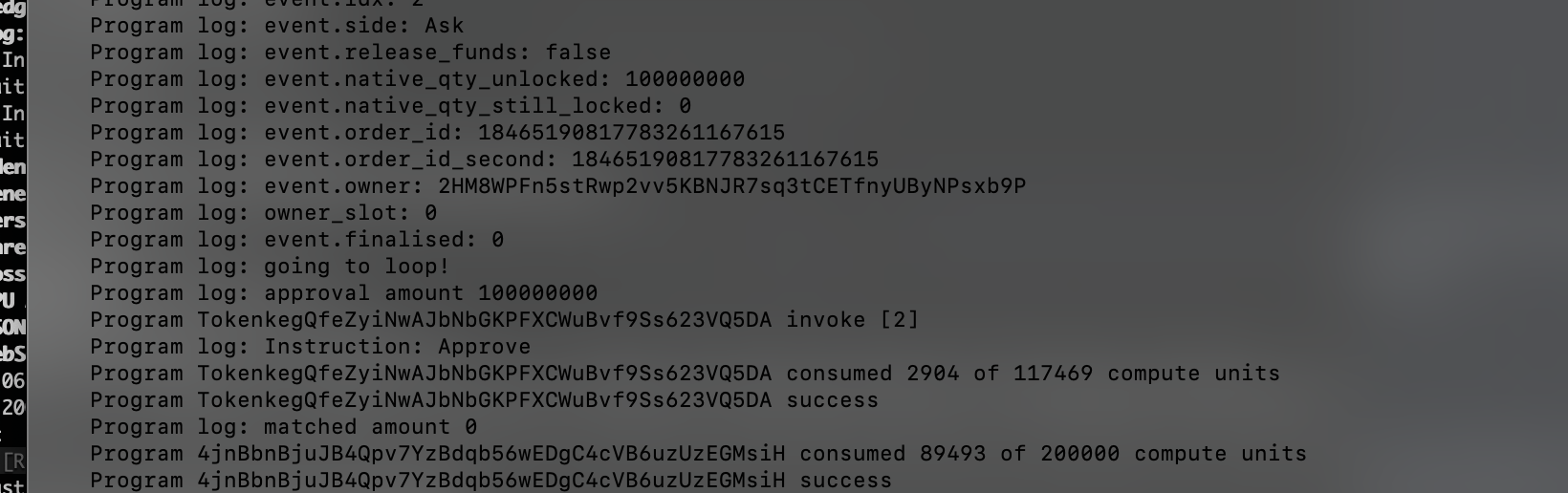
When new orders are placed, the program checks if there is enough tokens in the user's openorders to perform the trade. If not, the delta tokens needed are "approved" from the user, for later just-in-time settlement:
````rust
```rust
```rust
Side::Bid => {
let lock_qty_native = max_native_pc_qty;
native_pc_qty_locked = Some(lock_qty_native);
let free_qty_to_lock = lock_qty_native.min(open_orders.native_pc_free);
let total_deposit_amount = lock_qty_native - free_qty_to_lock;
//deposit_amount = total_deposit_amount * 2/100; //marginal deposit up front
deposit_amount = total_deposit_amount; //for test with matching, L1044
deposit_vault = pc_vault;
```rust
Side::Ask => {
native_pc_qty_locked = None;
let lock_qty_native = max_coin_qty
.checked_mul(market.coin_lot_size)
.ok_or(error!(ErrorCode::InsufficientFunds))?;
let free_qty_to_lock = lock_qty_native.min(open_orders.native_coin_free);
let total_deposit_amount = lock_qty_native - free_qty_to_lock;
//deposit_amount = total_deposit_amount * 2/100; //marginal deposit up front
deposit_amount = total_deposit_amount; //for test with matching, L1044
deposit_vault = coin_vault;
```
````
{% tabs %}
{% tab title="Rust Code" %}
```rust
if deposit_amount > 0 {
```
{% endtab %}
{% tab title="On chain Logs" %}
The calculation of the required amount, and the successul call to the native approve function, is visible in the logs:
{% endtab %}
{% endtabs %}
### 2. Matching
Any new order is tested against the counterpart of the orderbook (i.e. bids are matched against asks, and vice versa. The price is derived from the orderId using the *impl* .price().For example, for a bid:
````rust
```rust
let done = loop {
let best_offer = match self.find_bbo_mut(Side::Ask) {
Err(_) => {
crossed = false;
break true;
}
Ok(o) => o,
};
let trade_price = best_offer.price();
crossed = limit_price
.map(|limit_price| limit_price >= trade_price)
.unwrap_or(true);
// testing
if !crossed || post_only {
msg!("not crossed!");
break true;
}
msg!("crossed!");
let offer_size = best_offer.qty;
let trade_qty = offer_size
.min(coin_qty_remaining)
.min(pc_qty_remaining / trade_price);
if trade_qty == 0 {
break true;
}
```
````
#### Events tracking matched orders
If a match is found, two appropriate Fill events are added to the eventQ. These will be utilised later for just-in-time settlement of orders.
````rust
```rust
let maker_fill = Event::new(EventView::Fill {
side: Side::Ask,
maker: true,
native_qty_paid: trade_qty * coin_lot_size,
native_qty_received: native_maker_pc_qty,
order_id: best_offer.order_id,
owner: best_offer.owner,
owner_slot: best_offer.owner_slot,
finalised: 0,
cpty: owner,
order_id_second: order_id,
});
```
```rust
let taker_fill = Event::new(EventView::Fill {
side: Side::Bid,
maker: false,
native_qty_paid: native_pc_paid,
native_qty_received: coin_lots_received * coin_lot_size,
order_id,
owner,
owner_slot,
finalised: 0,
cpty: owner,
order_id_second: 0,
});
let idx = event_q.head + 1;
msg!("event id is {}", idx);
event_q.buf[idx as usize] = taker_fill;
event_q.head +=1;
```
````
Note that the bids and asks are updated in case of a fill. If no quantity remains, that order is removed from the BidsPDA or AsksPDA. If an order is partially filled, the Bid or Ask is modified in place to reflect the remaining quantity still to be traded.
### 3. Finalisation
In the finalisation stage (finalise\_bid and finalise\_ask), the program checks whether the user has sufficient tokens in their openorders account to complete the trade. If not, it attempts to transfer those tokens from the user/counterparty, to provide just in time liquidity. This is in addition to general validation of the events passed.
{% tabs %}
{% tab title="Finalise Bid Transfers" %}
````rust
```rust
let mut qty_pc = parsed_event.native_qty_paid;
let mut qty_coin = parsed_event.native_qty_released;
let mut available_funds = open_orders_auth.native_pc_free;
msg!("the available funds is {}", available_funds);
msg!("the required funds are {}", qty_pc);
//let mut deposit_amount = qty_pc / 1000;
let mut deposit_amount = qty_pc / market.pc_lot_size ;
msg!("Deposit amt {}", deposit_amount);
let mut cpty_deposit_amt = qty_coin;
let mut deposit_vault = pc_vault;
if deposit_amount > 0 {
// Derive the market's PDA and bump seed.
let (market_pda, bump_seed) = Pubkey::find_program_address(
&[b"market", coin_mint.key().as_ref(), pc_mint.key().as_ref()],
&program_id
);
let market_seed = b"market";
let coin_mint_key = coin_mint.key();
let pc_mint_key = pc_mint.key();
let coin_mint_seed = coin_mint_key.as_ref();
let pc_mint_seed = pc_mint_key.as_ref();
let bump_seed_arr: &[u8] = &[bump_seed];
let seed_slices: [&[u8]; 4] = [market_seed, coin_mint_seed, pc_mint_seed, bump_seed_arr];
let seeds: &[&[&[u8]]] = &[&seed_slices];
let transfer_ix = Transfer {
from: payerpc.to_account_info(),
to: deposit_vault.to_account_info(),
authority: market.to_account_info(), // Using the market PDA as the authority.
};
// Construct the context with the market PDA and bump seed.
let cpi_ctx = CpiContext::new_with_signer(
token_program.to_account_info(),
transfer_ix,
seeds,
//&[&[b"market", coin_mint.key().as_ref(), pc_mint.key().as_ref(), &[seeds]]]
);
anchor_spl::token::transfer(cpi_ctx, deposit_amount).map_err(|err| match err {
_ => error!(ErrorCode::TransferFailed),
})?;
```// Some code
````
{% endtab %}
{% tab title="Finalise Ask Transfers" %}
````
```rust
let mut qty_coin = parsed_event.native_qty_paid;
let mut available_funds = open_orders_auth.native_coin_free;
msg!("the available funds is {}", available_funds);
msg!("the required funds are {}", qty_coin);
//let mut deposit_amount = qty_pc / 1000;
let mut deposit_amount = qty_coin; //decimals already multiplied
msg!("Deposit amt {}", deposit_amount);
let mut cpty_deposit_amt = qty_coin;
let mut deposit_vault = coin_vault;
if deposit_amount > 0 {
// Derive the market's PDA and bump seed.
let (market_pda, bump_seed) = Pubkey::find_program_address(
&[b"market", coin_mint.key().as_ref(), pc_mint.key().as_ref()],
&program_id
);
let market_seed = b"market";
let coin_mint_key = coin_mint.key();
let pc_mint_key = pc_mint.key();
let coin_mint_seed = coin_mint_key.as_ref();
let pc_mint_seed = pc_mint_key.as_ref();
let bump_seed_arr: &[u8] = &[bump_seed];
let seed_slices: [&[u8]; 4] = [market_seed, coin_mint_seed, pc_mint_seed, bump_seed_arr];
let seeds: &[&[&[u8]]] = &[&seed_slices];
// let seeds = &[&[b"market", coin_mint.key().as_ref(), pc_mint.key().as_ref(), &[bump_seed]]];
let transfer_ix = Transfer {
from: payercoin.to_account_info(),
to: deposit_vault.to_account_info(),
authority: market.to_account_info(), // Using the market PDA as the authority.
};
// Construct the context with the market PDA and bump seed.
let cpi_ctx = CpiContext::new_with_signer(
token_program.to_account_info(),
transfer_ix,
seeds,
//&[&[b"market", coin_mint.key().as_ref(), pc_mint.key().as_ref(), &[seeds]]]
);
anchor_spl::token::transfer(cpi_ctx, deposit_amount).map_err(|err| match err {
_ => error!(ErrorCode::TransferFailed),
})?;
```
````
{% endtab %}
{% endtabs %}
#### Finalize Events
Once liquidity has been fetched for one side of the trade, an EventView::Finalize event is created in place of the original EventView:Fill. This marks the order as "finalized" - therby preventing any double spending, and marking the order eligible for settlement.
{% tabs %}
{% tab title="Rust Code" %}
````rust
```rust
let bidder_fill = Event::new(EventView::Finalise {
side: Side::Ask,
maker: true,
native_qty_paid: parsed_event.native_qty_paid,
native_qty_received: parsed_event.native_qty_released,
order_id: parsed_event.order_id,
owner: parsed_event.owner,
owner_slot: parsed_event.owner_slot,
finalised: fin,
cpty: owner,
});
//let idx = event_q.as_mut().unwrap().head + 1;
let mut event_slot = 1;
if index == 0 {
event_slot = event1_slot;
}
if index == 1 {
event_slot = event2_slot;
}
let idx = event_slot;
event_q.buf[idx as usize] = bidder_fill;
eventBidFinalised = true;
```
```rust
let fin: u8 = 1;
let owner = parsed_event.owner;
let asker_fill = Event::new(EventView::Finalise {
side: Side::Ask,
maker: true,
native_qty_paid: parsed_event.native_qty_paid,
native_qty_received: parsed_event.native_qty_released,
order_id: parsed_event.order_id,
owner: parsed_event.owner,
owner_slot: parsed_event.owner_slot,
finalised: fin,
cpty: owner,
});
...
```
````
{% endtab %}
{% tab title="On chain Logs" %}
The transfer of tokens from both counterparties is visible in the on chain logs:
{% endtab %}
{% endtabs %}
### 4. Settlement
Once liquidity has been fetched from both counterparties for both sides of the order, the order can be settled by the program. This is done by debiting the openOrders balances of one Counterparty, and crediting the same amount to the other counterparty. After settlement, the updated balances of the users are free to be withdrawn, or used for further trades.
```rust
if eventBidFinalised == true && eventAskFinalised == true {
//checked subtract pc from event1 owner
open_orders_auth.native_pc_free -= event1.native_qty_paid;
//subtract coin from event2 owner
open_orders_cpty.native_coin_free -= event2.native_qty_paid;
//add pc to event2 owner
open_orders_cpty.native_pc_free += event2.native_qty_released;
//add coin to event1 owner
open_orders_auth.native_coin_free += event1.native_qty_released;
```
\